

Uploading Documents
Documents are the files you keep with a project — drawings, submissions, correspondence, photos, anything.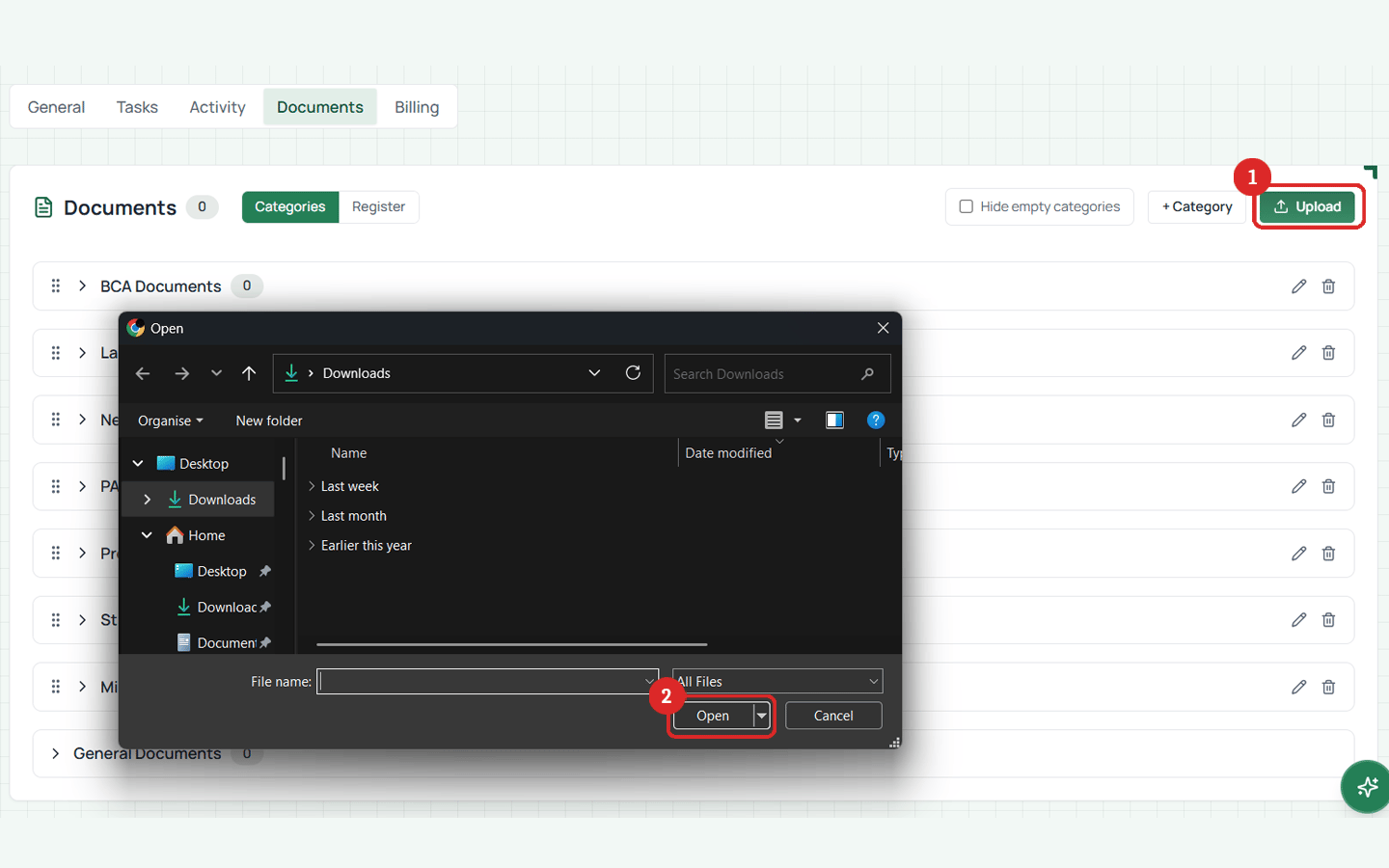
How to upload
- Open a project
- Go to the Documents tab
- Click Upload
- Select the file from your computer
- Choose a category (optional but recommended — see Categories)
- Wait for the upload to complete
- The document appears in your project’s document list
Start the upload promptly — the upload link expires after 10-15 minutes. On a slow connection with a very large file you may need to try again.
Downloading documents
Click on any document in the list to download it. Download links are generated on-demand and are valid for a few minutes.Supported file types
Any file at all — PDFs, images, CAD files, Word documents, spreadsheets. There are no format restrictions.What you see for each document
Each document in the list shows:- File name
- File size
- Upload date
- Category (if assigned)
- Version number
- Who uploaded it