

Project Timeline
Every project type comes with a set list of phases, from first survey to final bill. Tick them off as you go and the Project Timeline shows you at a glance how far along the project is.The Project Timeline was previously called the project lifecycle. Same thing, clearer name — the phases below haven’t changed.
The Project Timeline panel
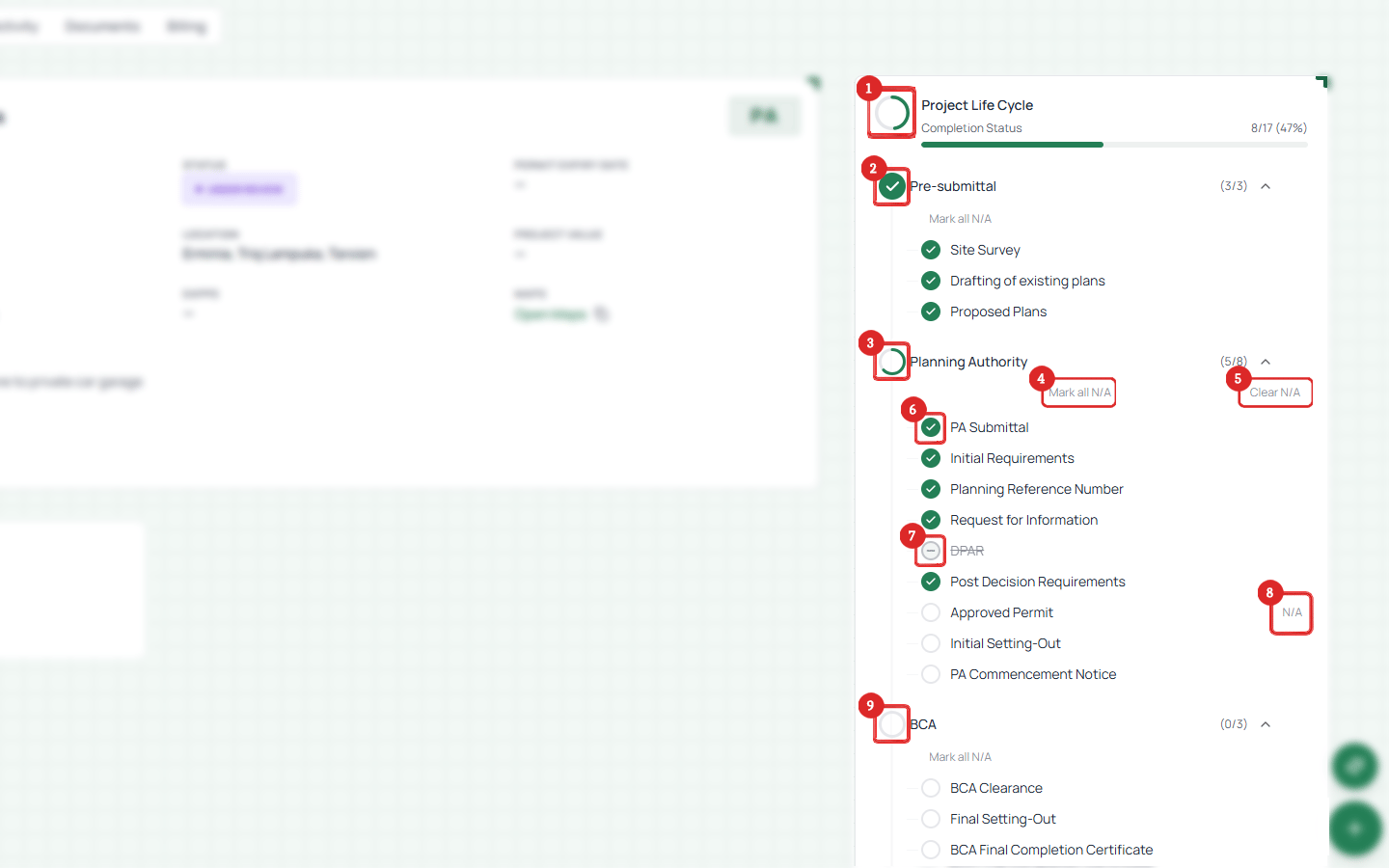
Project Timeline for a PA project
- Completion status — how many phases are done, as a count and a bar (e.g. 8/17, 47%)
- Stage indicator — green check means every phase in that stage is done
- Stage name — click to open or close the group
- Mark all N/A — skip a whole stage at once
- Clear N/A — undo that
- Phase status — green check = done, empty circle = still to do
- Partial stage — some phases done, some not
- N/A badge — a phase that doesn’t apply to this project
- Incomplete stage — red icon, nothing done yet
How it works
- Your timeline is built automatically when you create the project, based on its type
- Phases appear in order on the project page
- Tick a phase when you reach that milestone
- You don’t have to go in order — the sequence is just the usual flow
Deadlines on the timeline
When an authority email gives you a deadline, Arkata puts that date on the phase it belongs to, so you can see what is due without opening the task.- The date shows in brackets next to the phase name on the project page, as DD/MM/YY
- On the Timeline dashboard, the phase’s dot is replaced by the same short date, and hovering it tells you which phase is due
- Dates only appear on phases that are still open. Tick a phase off, or mark it as not applicable, and the date drops away